Build business lists around the questions you need answered
Choose the companies, fields, and assessments that matter to your work. Data Studio combines existing business information with custom AI columns to create tailored lists for sourcing, outreach, research, or regional projects.
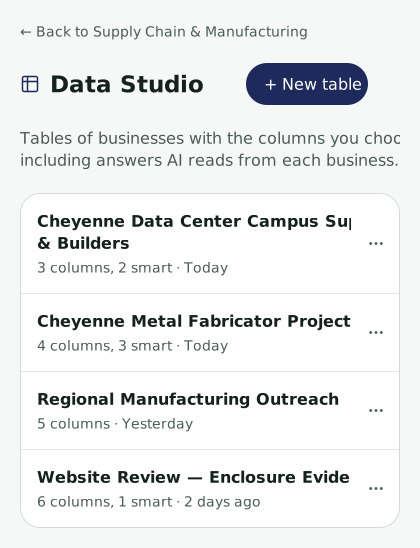
Start with the right companies
Select the businesses you want to investigate and narrow the group by the criteria relevant to your task. Build a list around a region, an industry, a particular need, or the companies you want to understand in more detail.

Choose your data
Add columns for information held in EcosAtlas, including business names, locations, industries, descriptions, and records. Choose the fields that will help you review each company and carry your findings into the next stage of your work.

Add questions as columns
Ask Atlas to assess each company against a question or requirement. Create columns for suggested roles, categories, fit scores, or written explanations. These AI assessments add context to the business information you have selected for the table.

Create a list for the job
For a proposed data center project, identify local businesses and add columns for the work each could support, the relevant project stage, and an AI fit score from 1 to 10 with an explanation. Export the resulting table to Excel for review and follow-up.
Know when your research is ready
Review Data Studio completion alerts inside EcosAtlas. The alert identifies the finished table and its row count, so you can return to the output and review the results.
Use the bell to see unread alerts, mark them as read, or open the full alerts page.

Build a list around your needs
Explore how Data Studio can organize company information and research for a task your team is working on.